
Purchase management plays a central role in a company's performance. Between price requests, supplier orders, goods receipts, tracking negotiated rates, and invoice accounting, procurement processes can quickly become time-consuming when managed manually.
In many SMEs, purchasing still relies on email exchanges, Excel files, and scattered validations. This organization often leads to a lack of visibility, data entry errors, and difficulties in managing procurement costs.
With Odoo's Purchasing module, it becomes possible to centralize the entire purchasing cycle in a single environment connected to Inventory and Accounting. Orders, receipts, supplier invoices, and restocking communicate automatically with each other, providing much more reliable and efficient management.
In this article, discover how the Odoo Purchasing module works and why it is a true lever for optimization for companies looking to professionalize their supplier management.
Why digitize purchase management?
Purchasing often represents several tens of thousands, or even several hundreds of thousands of euros per year for an SME.
However, it is not uncommon to find:
orders placed by email;
supplier rates stored in different documents;
manually managed stock tracking;
invoices re-entered multiple times.
The limits of traditional management
When tools are not connected, teams spend more time searching for information than using it.
The consequences are numerous:
order errors;
supply delays;
lack of visibility on costs;
stockouts;
difficulties in analyzing expenses.
The benefits of an ERP like Odoo
With Odoo, all purchasing data is consolidated into a single database:
suppliers;
products;
negotiated prices;
receipts;
invoices;
purchase indicators.
This centralization improves data reliability while significantly reducing administrative tasks.
How does the Odoo Purchase module work?
The Purchase module follows a simple logic that reflects the natural supply cycle of a company:
Creation of a request for quotation
Validation of the supplier order
Receipt of goods
Creation of the supplier invoice
Updating the accounting
Analysis of purchasing performance
The entire process is fully connected to other Odoo modules.
Create a supplier order
The first step is to create a request for quotation.
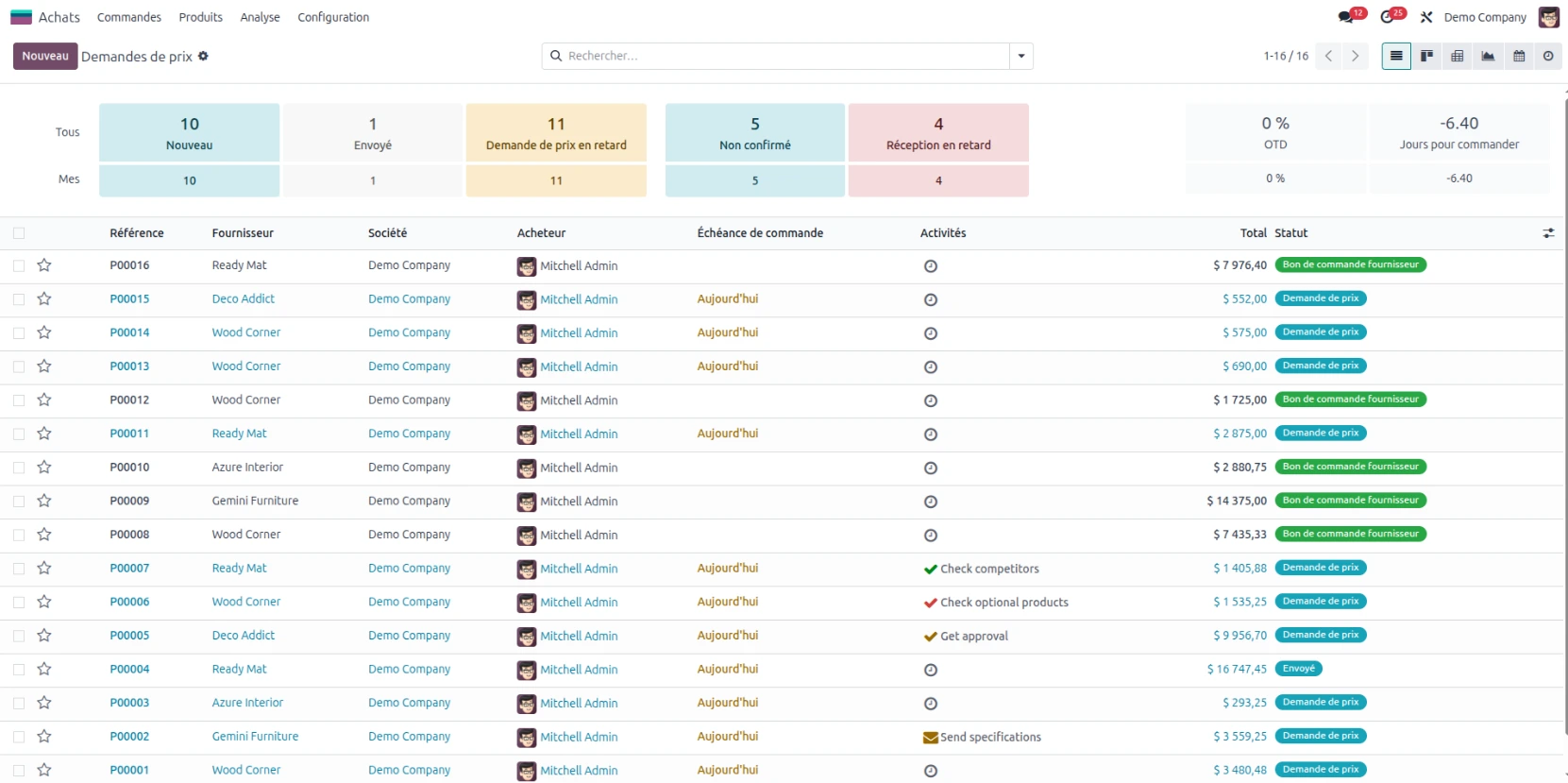
From the Purchasing module, the main view allows access to all price requests and supplier orders.
Create a new request
Click onNewto create a price request.
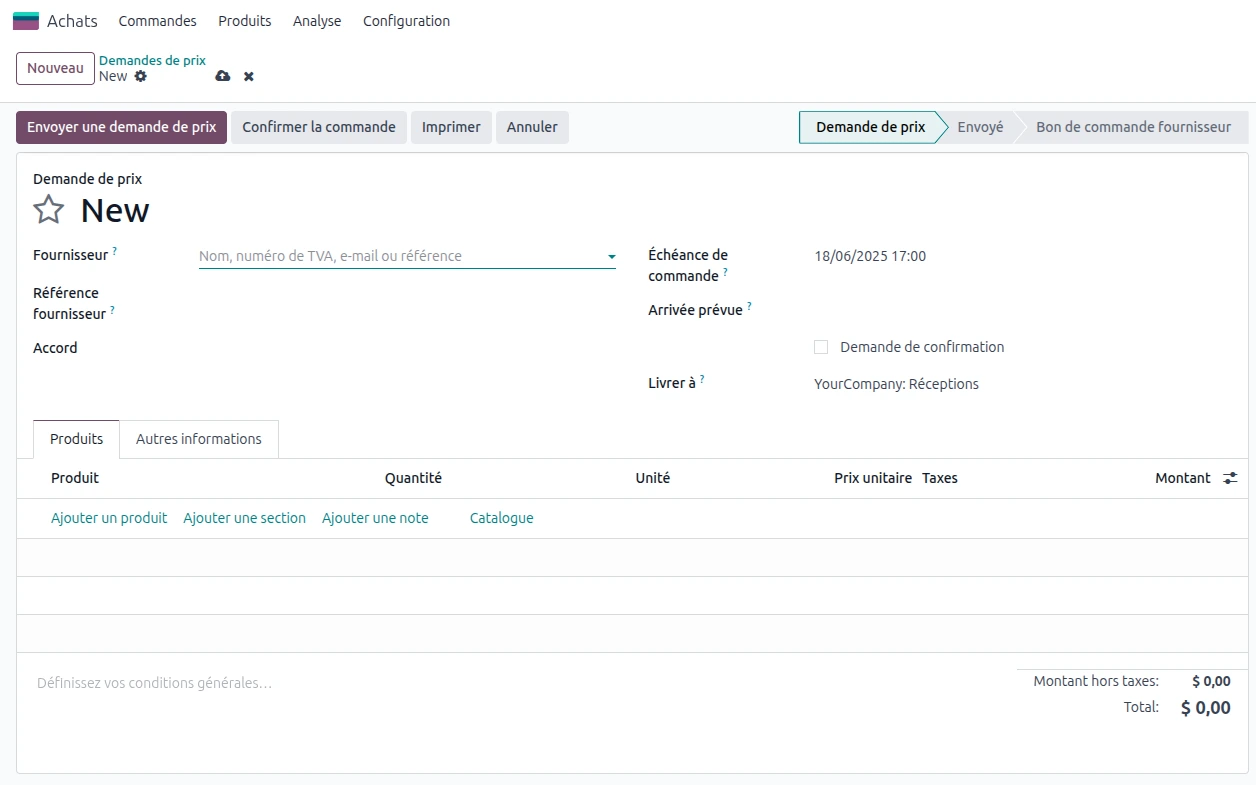
You can then fill in:
the supplier;
the expected date;
the products;
the quantities;
the purchasing conditions.
A similar operation to the Sales module
Users already familiar with the Sales module will find a very similar logic.
Odoo automatically remembers the purchasing conditions already used with each supplier.
Thus, when a product has been purchased previously:
the price is automatically suggested;
the supplier lead times are retrieved;
the references are retained.
This feature saves time while limiting data entry errors.
The different validation steps
A supplier order generally goes through three phases:
Creation of the price request;
Adjustment based on the supplier's feedback;
Order confirmation.
Once the order is confirmed, Odoo automatically triggers the following operations.
Receive the products and update the inventory
One of the great advantages of Odoo lies in its native integration with the Inventory module.
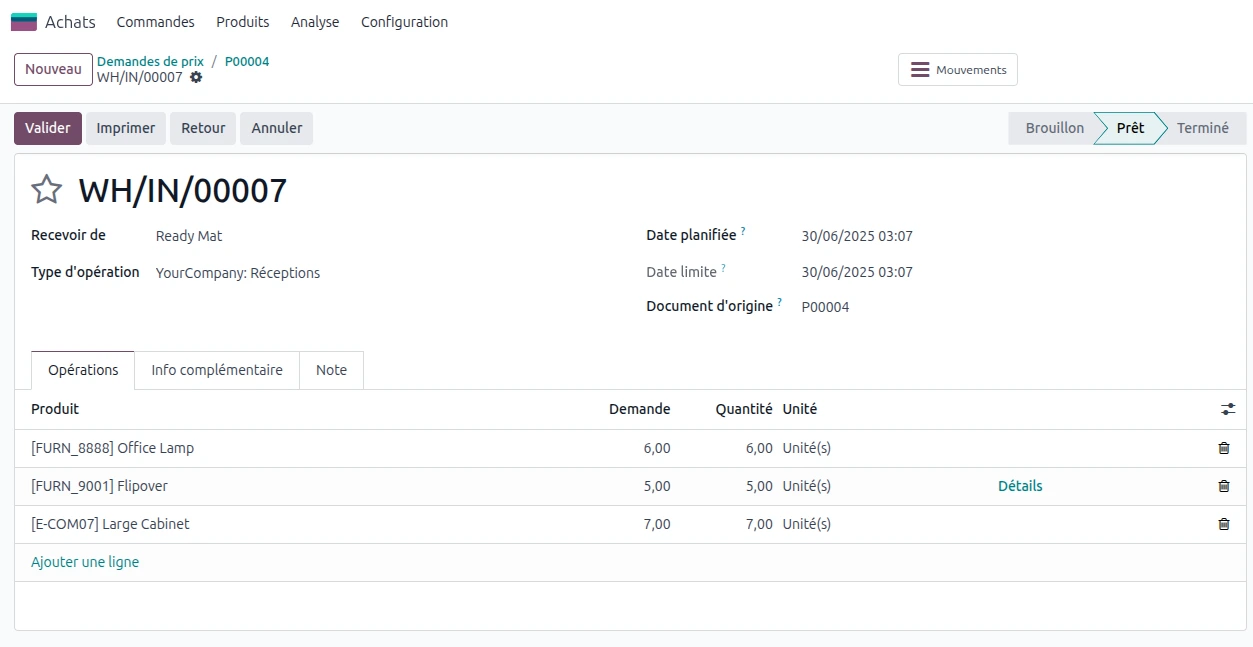
When a supplier order is validated, a receipt document is automatically generated.
A receipt directly linked to the order
From the supplier order, a smart button allows immediate access to the associated receipt.

It is also possible to find this operation from:
Inventory > Operations > Receipts
Control the quantities received
At the time of delivery:
the quantities received are verified;
the discrepancies can be adjusted;
partial receipts are managed.
Once validated:
the stock is automatically updated;
the inventory levels are recalculated;
the stock movements are tracked.
Better traceability of supplies
Thanks to this native connection between Purchasing and Inventory:
each receipt is recorded;
the discrepancies are identified quickly;
the stocks remain reliable at all times.
Create and integrate supplier invoices
Once the goods are received, the supplier invoice can be recorded directly from the order.
An automatically pre-filled invoice
From the supplier order:
Click on:
Create invoiceorLoad invoicedepending on your Odoo version.
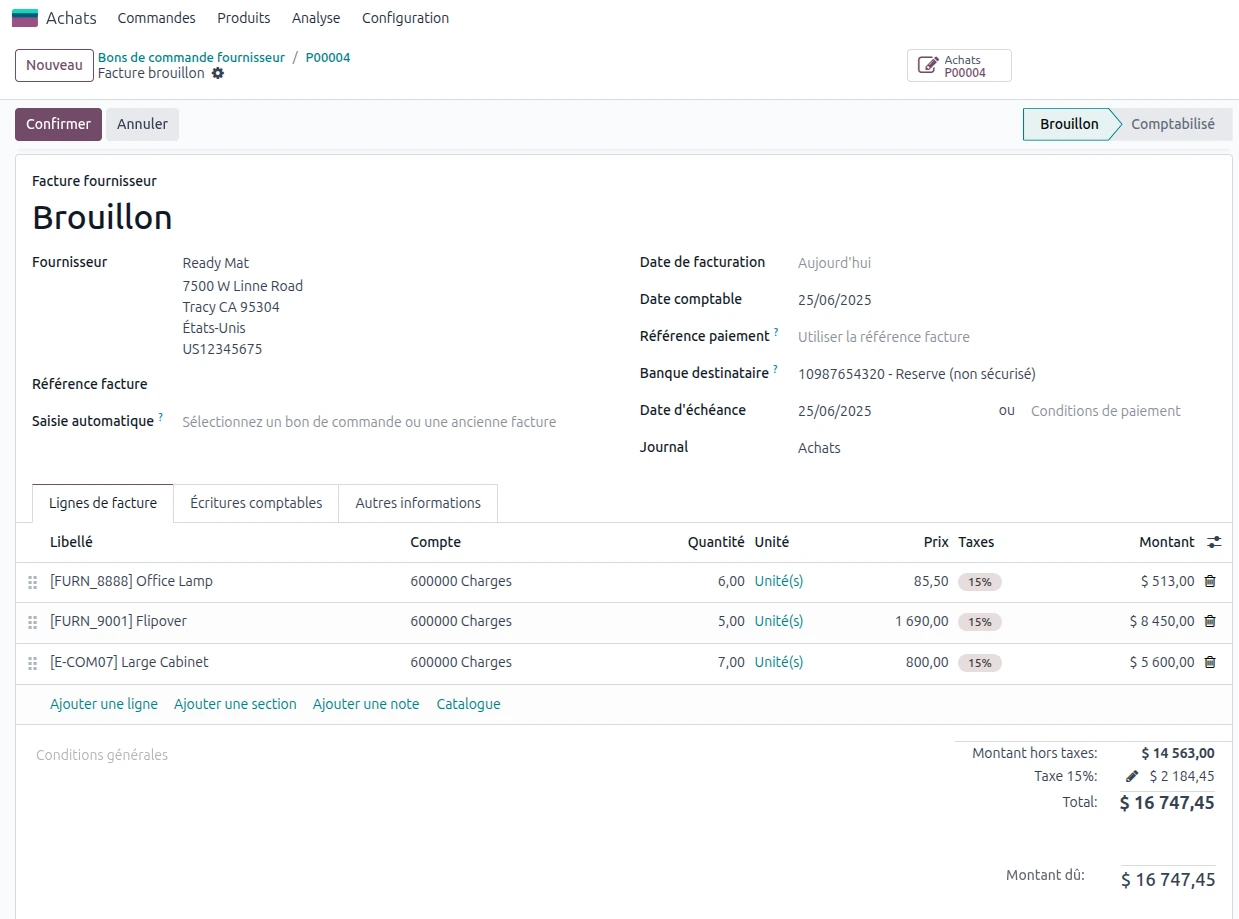
The information is already included:
supplier;
products;
quantities;
amounts.
This significantly reduces re-entries.
A direct integration in accounting
After validation:
the invoice is recorded;
the accounting entries are generated;
the supplier deadlines are created.
This automation limits the risk of errors and simplifies administrative work.
Effectively manage suppliers and negotiated rates
Supplier tracking is often a major issue for companies working with multiple partners.
Centralize supplier information
From:
Purchases > Orders > Suppliers
You will find:
contact details;
order history;
commercial terms;
delivery times.
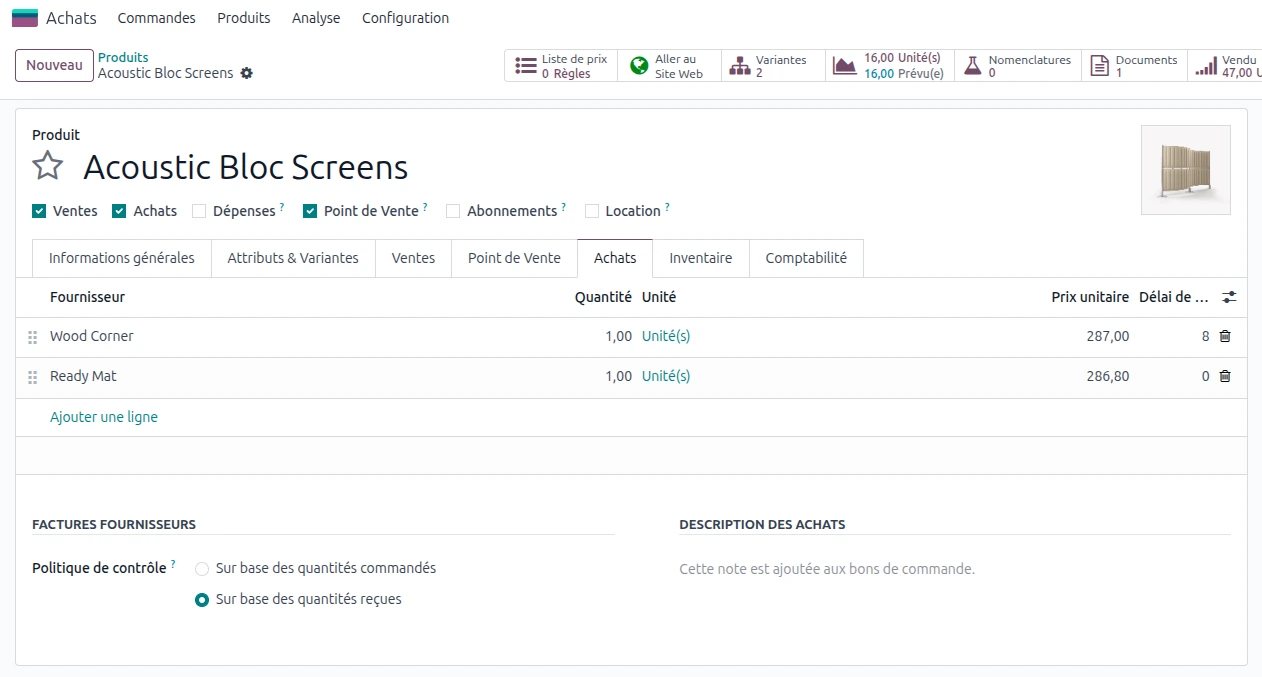
Set supplier rates
From:
Configuration > Supplier price lists
You can define:
negotiated rates;
minimum quantities;
lead times;
currencies;
specific discounts.
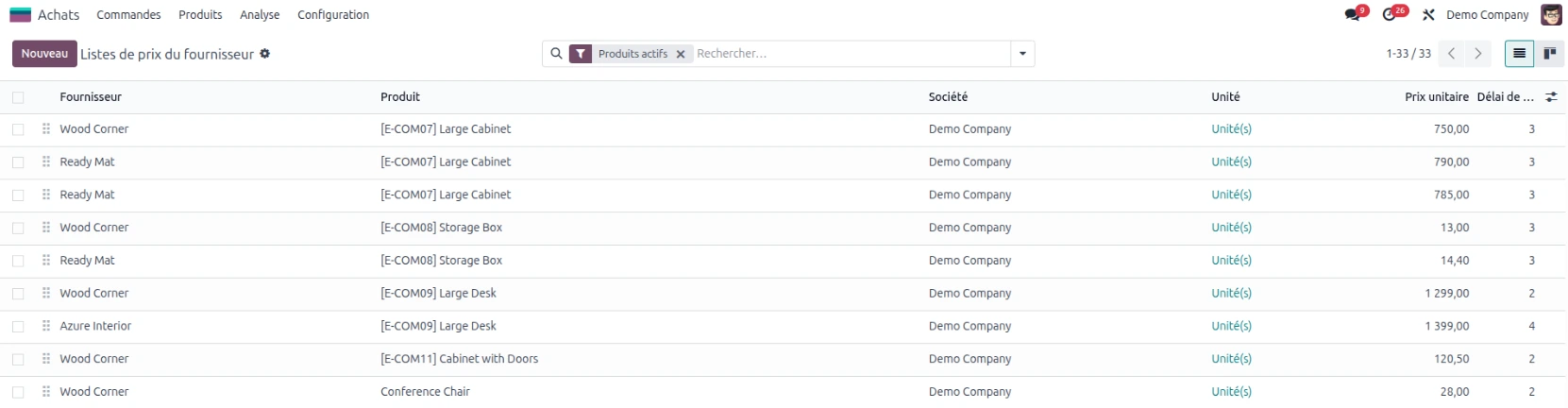
This information is then automatically used for future purchases.
Consistency across all orders
Users no longer need to search for old rates in different documents.
Odoo automatically applies the defined rules.
Manage long-term supplier agreements
Some companies negotiate volumes or prices over several months.
Odoo also allows you to manage this type of agreements.
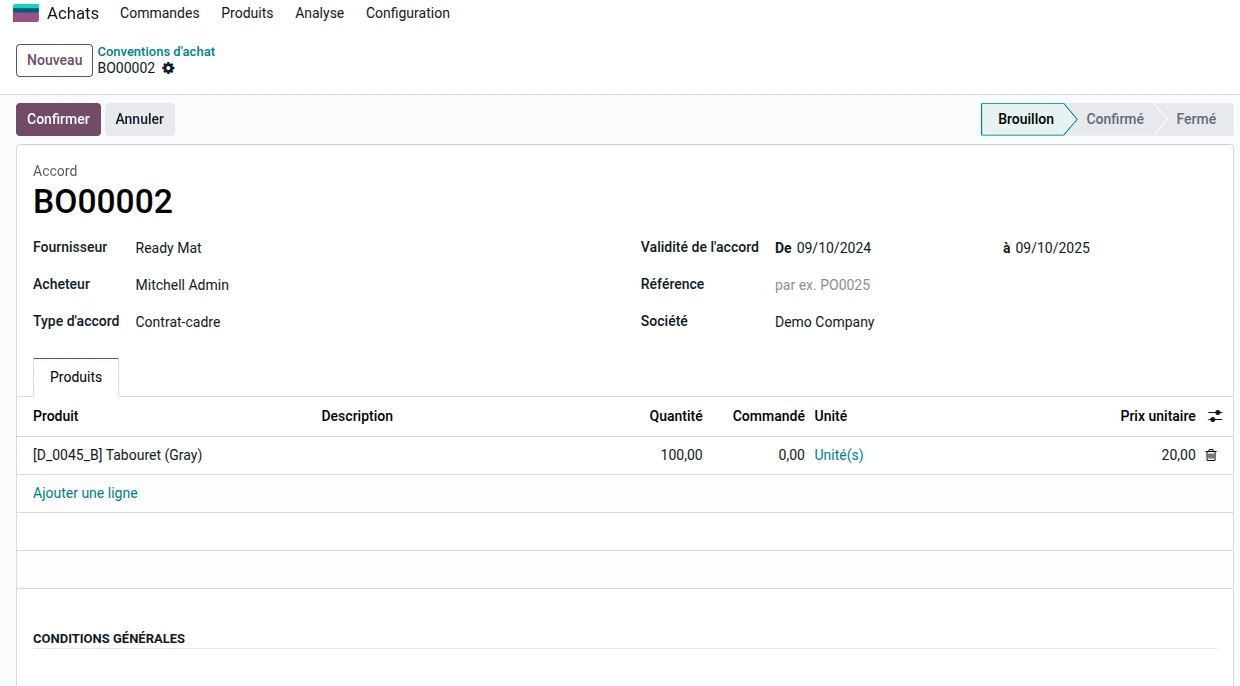
Purchase agreements
After activating the option in the settings:
Purchases > Orders > Purchase Agreements
You can create:
framework contracts;
pricing agreements;
negotiated volumes.
Track consumed quantities
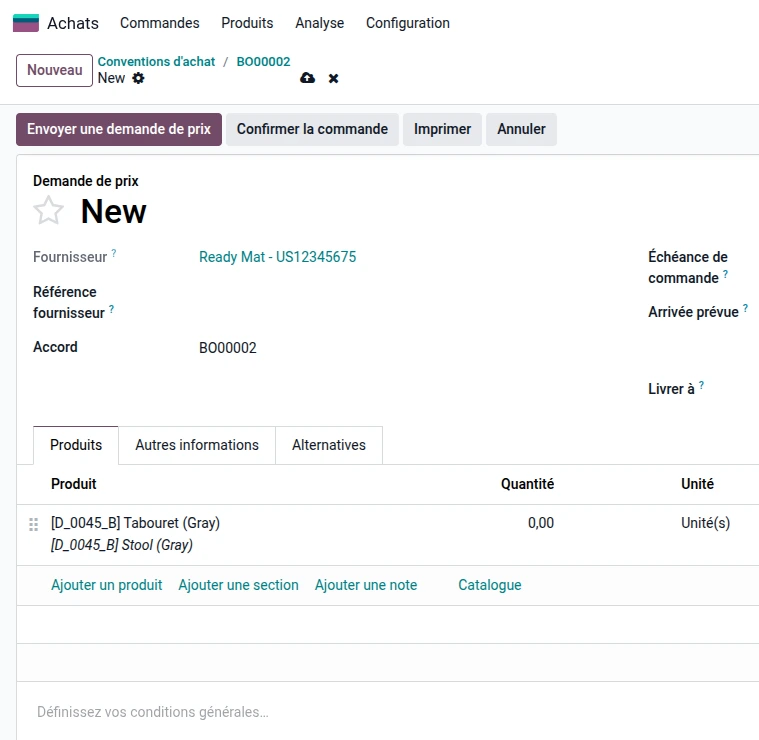
Each order linked to an agreement:
automatically applies the negotiated prices;
deducts the quantities used;
allows tracking the remaining balance.
This feature is particularly useful for industrial companies or businesses with recurring purchases.
Automate replenishments
Automation is probably one of the most significant gains of the Odoo Purchasing module.
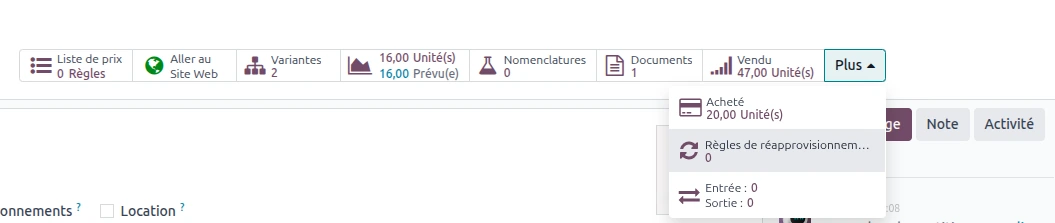
Set up replenishment rules
From the product sheet:
Purchases > Products > Products
It is possible to define:
a minimum stock;
a maximum stock;
a replenishment method.
Automatic generation of needs
When stock falls below a defined threshold:
Odoo can automatically:
generate a request for quotation;
suggest a supplier order;
alert the teams.
This logic helps reduce stockouts while optimizing inventory levels.
Analyze purchasing performance using KPIs.
Digitizing purchases is not just about automating operations.
The goal is also to better manage expenses.
A dedicated analytical view
Like the Sales or Manufacturing modules, the Purchasing module has integrated analysis tools.
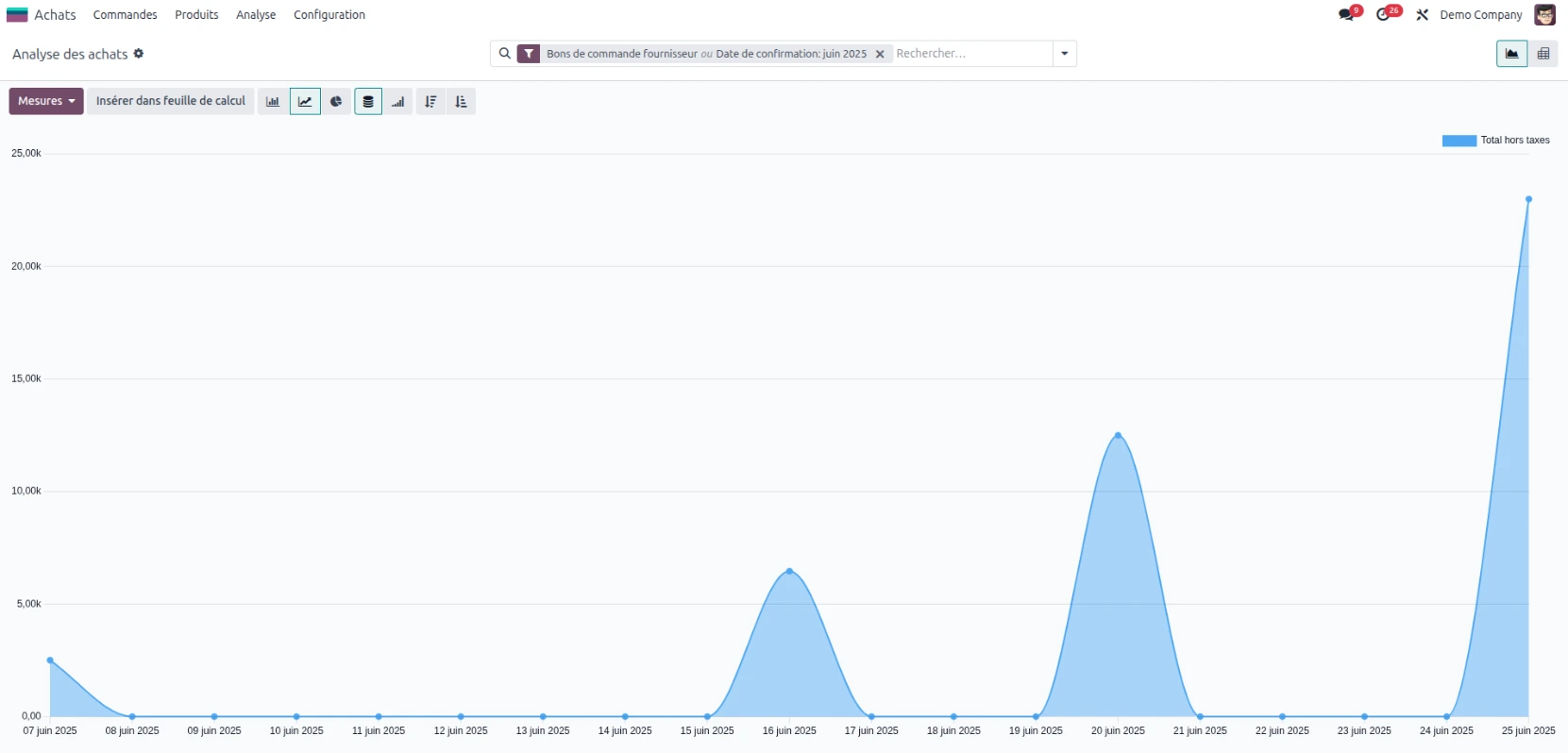
Managers can track:
expenses by supplier;
purchased volumes;
average lead times;
budget variances;
supply performance.
Faster decision-making
Thanks to dashboards:
optimization opportunities are quickly identified;
strategic suppliers are better monitored;
costs are better controlled.
Comparison: traditional management vs purchasing management with Odoo
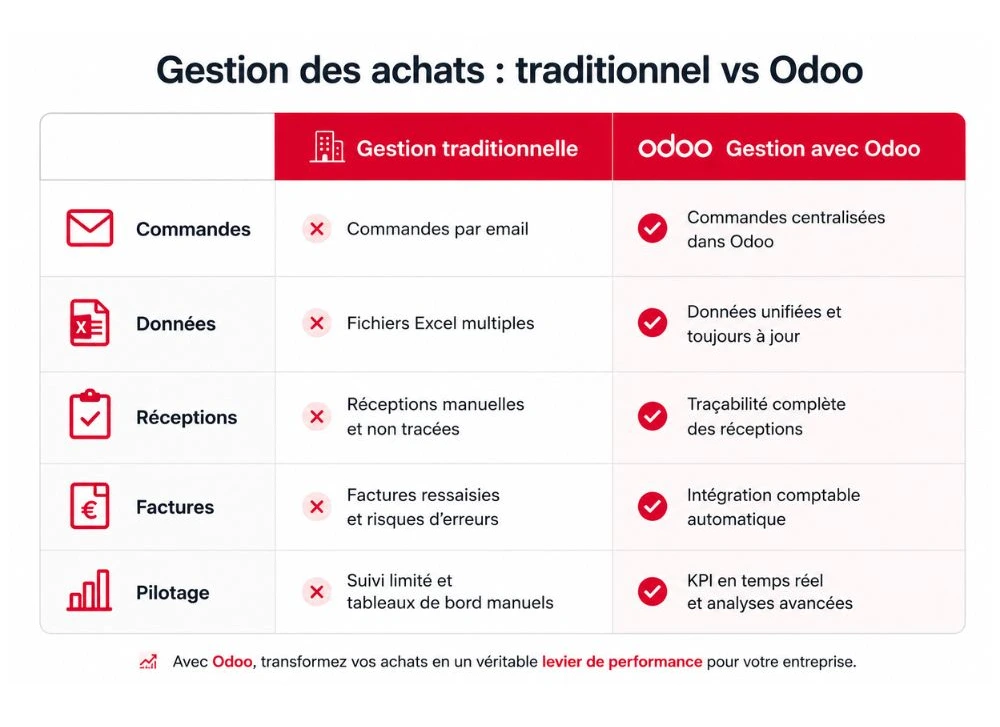
| Traditional management | Management with Odoo |
|---|---|
| Orders by email | Centralized process |
| Multiple Excel files | Unified data |
| Manual receipts | Complete traceability |
| Re-entered invoices | Automatic accounting integration |
| Limited management | Real-time KPI |
Why integrate the Purchasing module into your Odoo ERP?
The Purchasing module is not just a supplier ordering tool.
It is a true performance lever for:
securing supplies;
improving inventory reliability;
automate processes;
reduce administrative tasks;
optimize purchasing costs.
By being connected to Inventory, Accounting, and other Odoo modules, it provides a comprehensive view of your business and helps improve company management.
FAQ — Odoo Purchase Module
Is the Odoo Purchase module suitable for SMEs?
Yes. The Odoo Purchase module is designed for businesses of all sizes, from micro-enterprises to industrial SMEs. It allows for the centralization of supplier orders, receipts, invoices, and replenishments in a single tool connected to the entire ERP.
Can supplier orders be automated in Odoo?
Yes. With replenishment rules, Odoo can automatically generate requests for quotes or supplier orders when the stock of a product falls below a defined threshold. This helps avoid stockouts and secures supplies.
Is the Purchase module connected to Odoo Inventory?
Yes. When a supplier order is confirmed, Odoo automatically creates a receipt in the Inventory module. Stocks are updated as soon as the receipt is validated, ensuring real-time visibility of available quantities.
How does Odoo manage negotiated prices with suppliers?
Odoo allows you to record supplier price lists directly on product sheets. You can set specific prices based on ordered quantities, lead times, or the commercial conditions negotiated with each supplier.
What are the main advantages of the Odoo Purchase module?
The Odoo Purchasing module allows you to:
centralize supplier orders;
automate replenishments;
improving inventory reliability;
reduce administrative tasks;
connect purchasing to accounting;
analyze expenses through integrated dashboards and KPIs.
Switch to more efficient purchasing management
Do you want to discover how the Odoo Purchasing module can simplify your daily management?
Our teams support you in:
the integration of Odoo;
the configuration of the Purchasing module;
the automation of supplies;
user training;
optimizing your business processes.
👉 Schedule a meeting with a Nuprod expert
👉 Request a demonstration customized for Odoo
👉 Discover our training Odoo withNuformations